Width, height, panels
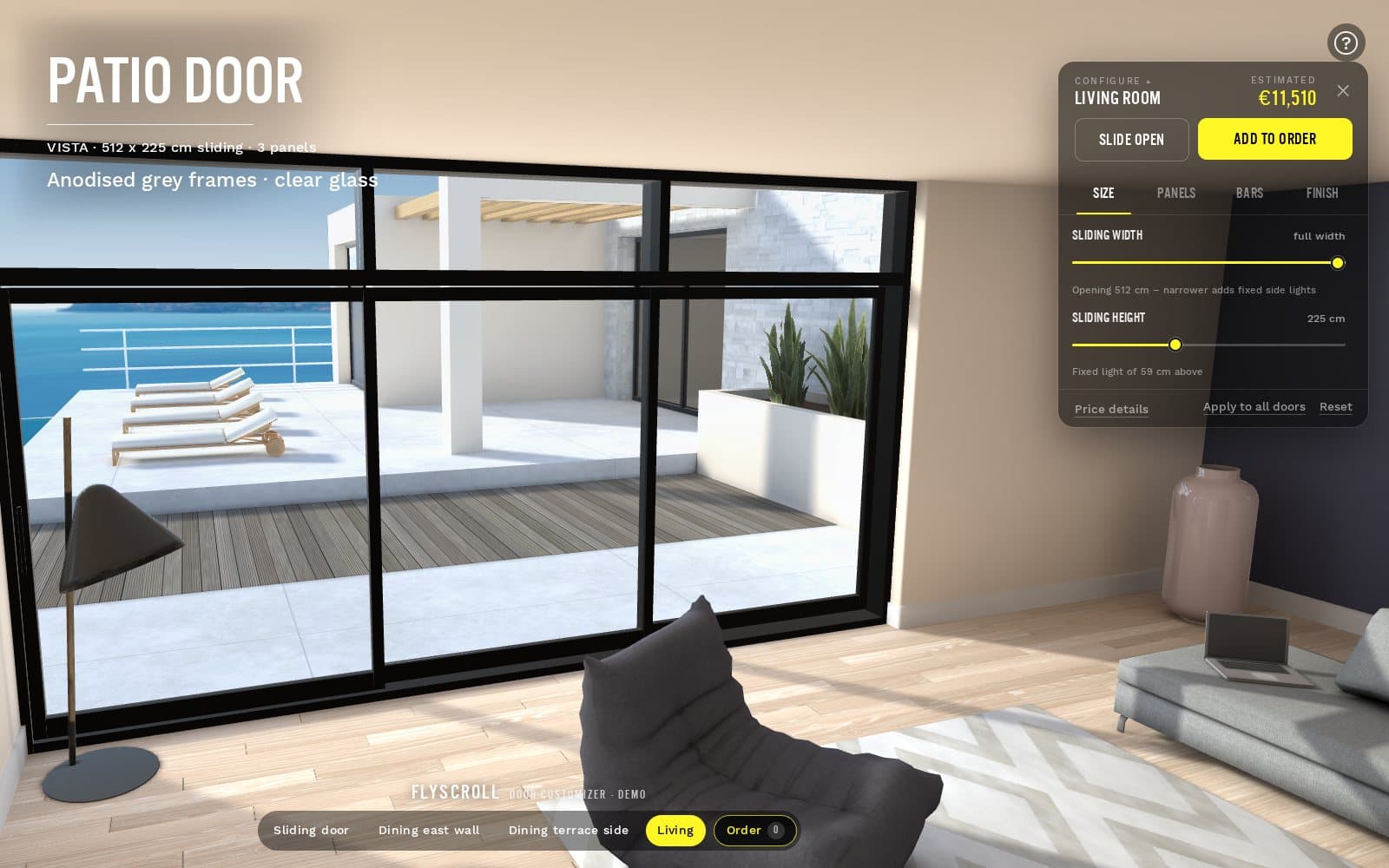
The door rebuilds to the size and panel count the buyer sets, within the limits you allow, and the wall opening follows it.
3D configurator for doors and windows
Your buyers and dealers shape your doors and windows on your own 3D model, at full scale and from any angle: size, panels, installation, paint, glass and glazing bars. The price is worked out on our server as they go, and every order reaches your factory as a spec sheet, one opening or a whole project at a time.
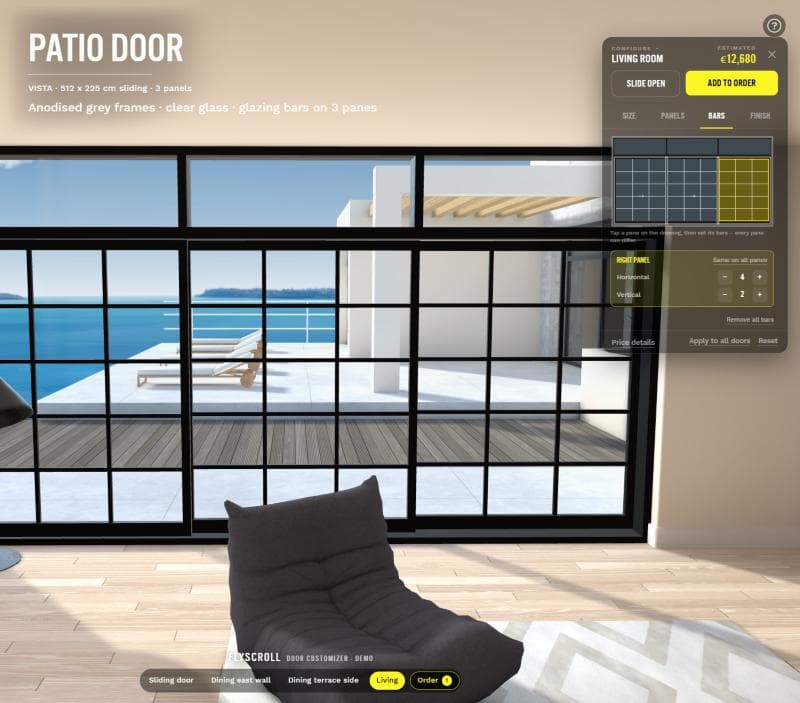
A screenshot of the live door demo: glazing bars set pane by pane on a drawing, the estimate moving with them.
Real products, live
Recorded in the FlyScroll customizer, not mocked up: colours, options and names landing on real 3D products. Pick yours and we'll show it to you live.
Why FlyScroll
India's largest product customizer, built so a growing brand and an enterprise both go live fast and keep running without an operator.
Moving from another customizer? We rebuild your products for you, at no cost, and you can be selling on FlyScroll the same day. New products from our catalogue need no modelling at all.
Write what you want in plain words: "add maroon to every cap", "limit names to 12 letters". The FlyScroll assistant makes the change in your dashboard, tells you what it did, and passes anything it shouldn't touch to our team.
Products, colours, prices, orders, brands, stores and the people on your team. Every order run is tracked, and when something fails it says why, with the button that fixes it.
One design, a roster row per player, names and numbers checked, and every product the team needs in a single checkout.
The live demo
Walk through an apartment, click a door and shape it at full scale, with the estimate moving as you go. The sliding door at the entrance takes a width, a height, one to three panels, four installation types, handles, paint and panel finishes, and the wall opening follows it. The terrace doors take sliding or fixed lights, two to four panels, paint, and glazing bars for every single pane, picked on a drawing. Then add it to the order, set quantities, and download the spec sheet for the factory.
The configurator
A door range is a few systems with a great many combinations. Instead of a price list nobody outside the office can read, the buyer sees the exact unit, priced, before anyone writes a quote.
The door rebuilds to the size and panel count the buyer sets, within the limits you allow, and the wall opening follows it.
Sliding parts and fixed lights, installation types, single doors and runs of panels. Each style is one product with its variants as options.
Your own colours and finishes as physically based materials, so anodised, painted and timber read as what they are, in daylight.
Bar patterns chosen for each pane on a drawing of the door, alongside the glass options you offer.
Handles, thresholds and hardware as options, with rules that only offer what goes with the rest: no part a style cannot carry.
Every total is worked out on our server and signed, then checked again when the order lands. A price edited in the browser never reaches your floor.
Spec sheets and bulk orders
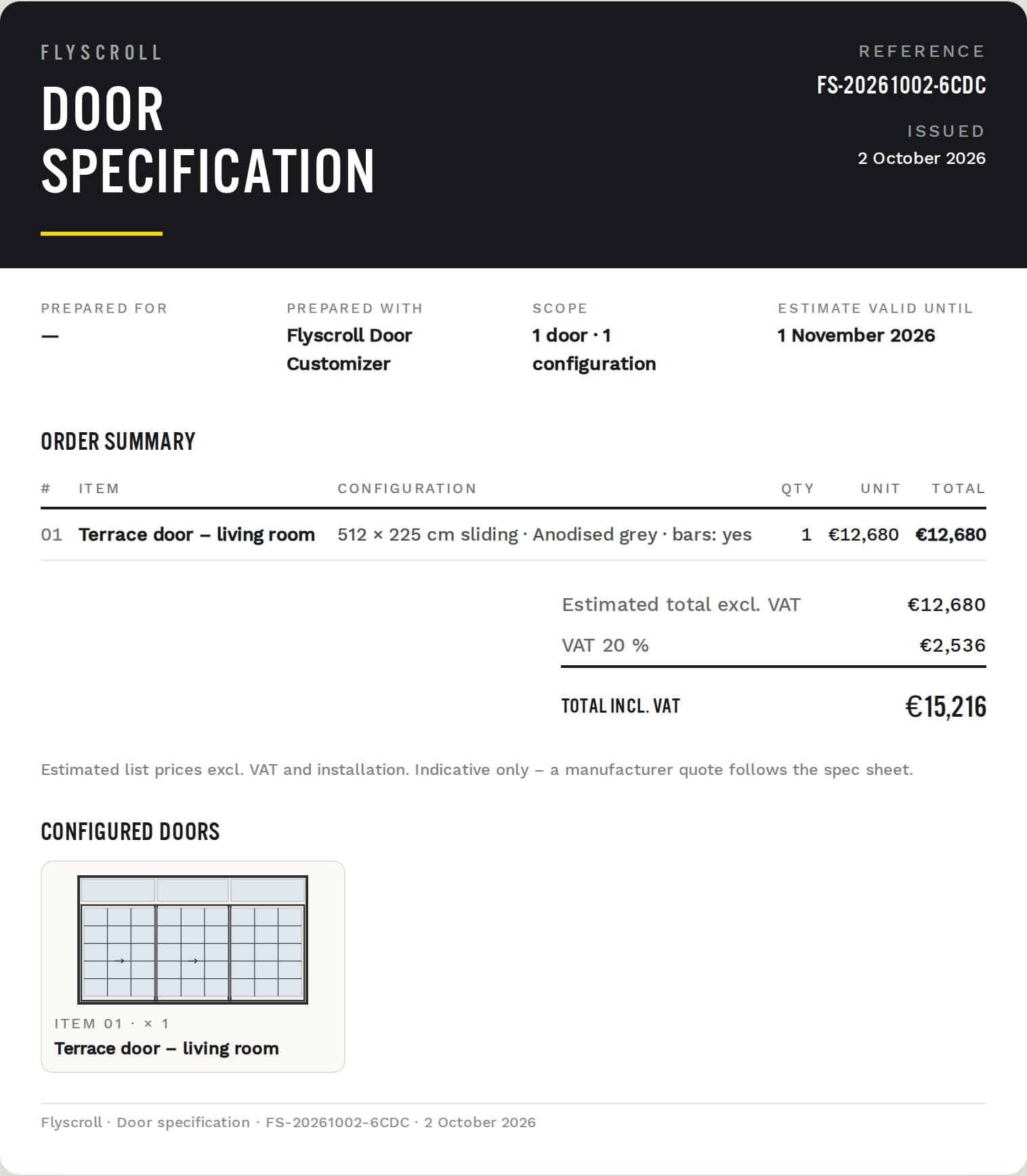
Every order writes its own spec sheet from the configuration the buyer approved, so nobody re-keys a door from an email. A cover with the order summary and the estimate, then a page for every door: the elevation drawing, the structural opening, the panel schedule, glass sizes and glazing bars pane by pane, and production notes for the floor. A whole project arrives as one order, every door on its own line with its quantity.
Behind the configurator
A configurator that stops at a quote leaves the rest of the business on spreadsheets. This carries the order on: through production, onto the floor, and back to the dealer who sold it. Not a full ERP, and we won't call it one, but the part of one a made-to-order factory uses every day.
Orders move across the production desk with their job sheet, so the office and the floor read the same thing.
Orders are grouped into runs that a workstation claims and works through, against the capacity you set for it.
When something is out of stock, the configurator stops offering it, instead of taking an order you cannot fill.
The dealer, the showroom or the page, recorded on every order, so you can see who sells what without asking.
A dealer or a sister brand opens your range and changes only what differs. Everything else stays in step with yours.
The office, the floor and each dealer see what their role allows: orders, production, stores and billing, each granted on its own.
Industries
The engine that shapes a terrace door also runs a twenty-part glove, a team's caps and an engraved tumbler. Each industry has a showcase: what a buyer configures, and what production receives.
Inside the studio
Configurators usually get rich the same way: somebody writes code per product line, then maintains it forever. Ours is authored instead. Parts bound to options, materials from your own library, rules that decide what a buyer gets offered, and a journey you arrange in steps.
Also for made-to-order merchandise
The same engine runs customised merchandise: per-part colours, uploaded artwork, names, numbers and team rosters. The cart line carries a thumbnail captured the moment they saved, a summary anyone in your business can read, the design code that replays the whole thing, and a signed price. Behind it, a print canvas in real millimetres for every order.
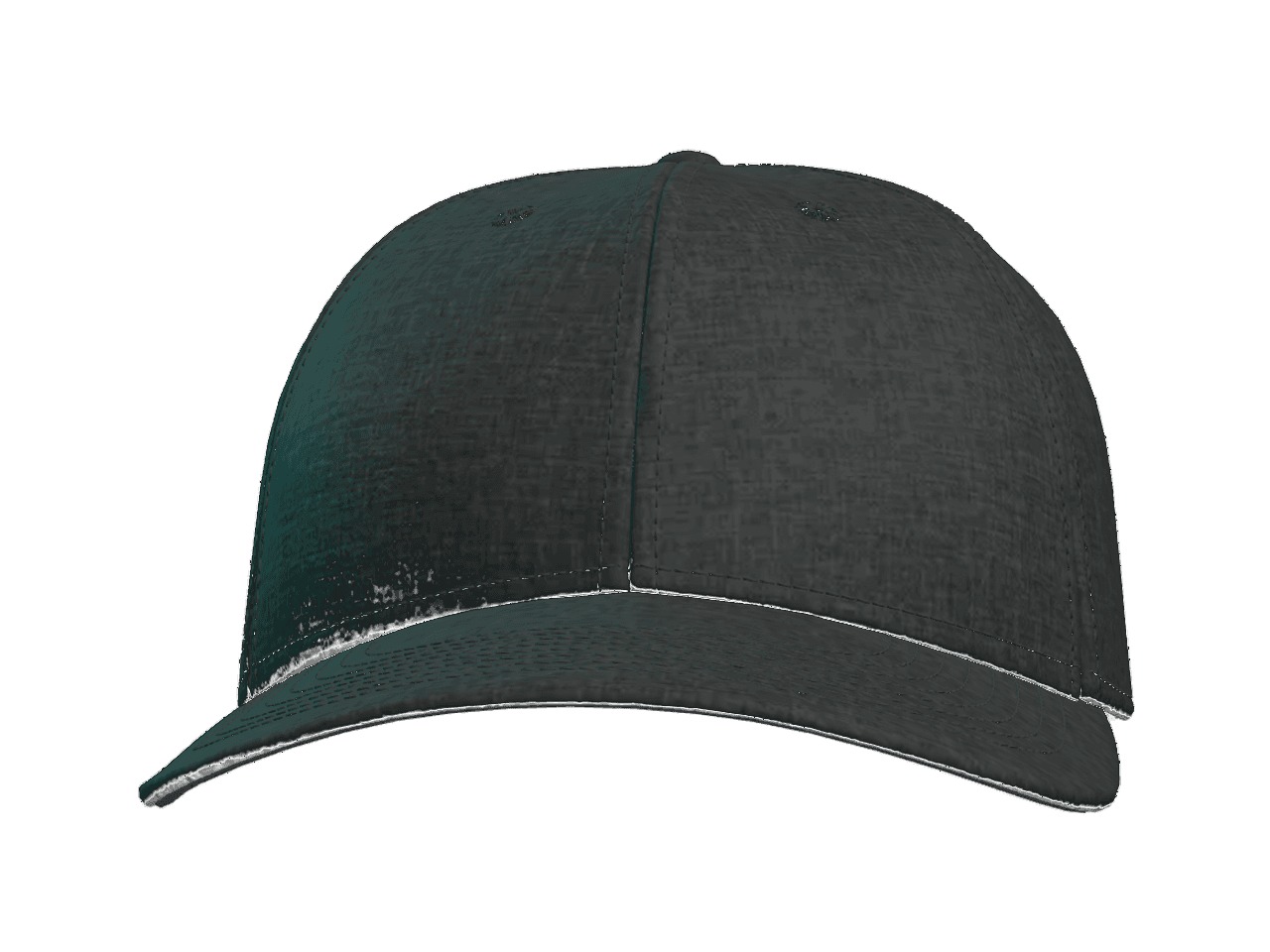
Structured team cap
Capabilities
Eleven of them, each with its own page, and each carrying its real status. The fastest way to lose a manufacturer's trust is to promise an output you cannot produce.
Twenty parts, fourteen web styles, three leathers, and still one product.
Read →ReuseStart the next product from the last one instead of from nothing.
Read →BrandsOne parent setup. Each brand overrides only what differs.
Read →UploadsThe customer's own file, placed on the product and kept at full resolution.
Read →DecorationStitched marks previewed as thread, priced per spot, specified on the job sheet.
Read →DecorationAll-over prints authored as a canvas in millimetres, output at print resolution.
Read →DecorationEngraved marks as vector paths, previewed on the surface they burn into.
Read →OutputA canvas in millimetres at your resolution and colour mode, run per order.
Read →OutputThe sheet that walks the job through the floor, barcoded and complete.
Read →CommerceBind a customizer to the product you already sell, with its SKUs and price.
Read →CommerceYour cart, your checkout, your customer. We own the design and what it costs.
Read →Your productThe grid is what exists today, not the ceiling. Bring the product to the demo and we will tell you what its configurator takes.
Bring it to the demo →For 3D designers
Show your own pieces as live configurators, or build them for the clients who make what you model. Bring a GLB and we will put it in the studio with you.
Where we lead
More products ready to customize than any platform in India, every decoration method in one customizer, and production files that go straight to the factory. Sportswear, headwear, drinkware and glove brands already sell through it.
Questions
If yours is not here, ask it on the demo. You will leave with a plan for your products and the date you can be selling.
It helps, and it's not required. If your design team or your system supplier has models, that is the fastest start. If not, bring drawings and photographs: doors and windows are built from a small set of profiles, so a range can be modelled as a system rather than one product at a time. We'll tell you what that takes for yours instead of guessing at it.
Yes. In the door demo, width and height are set directly and the door rebuilds to them, panels and all. You decide the limits, and we go through how your size pricing works on the demo.
Yes. A dealer can have its own version under your account and its own link, and every order records which dealer, showroom or page it came from.
A spec sheet for every order, written from the configuration the buyer approved: an order summary with the estimate, then a page per door with the elevation drawing, the structural opening, the panel schedule, glass sizes and glazing bars, and production notes. A project arrives as one order, every door on its own line with its quantity.
No, and we won't call it one. It covers the part a made-to-order factory uses every day: orders, job sheets, production stages, capacity, stock and dealers, joined to the configurator that creates the orders. If you already run an ERP, bring it to the demo and we'll look at what it needs to receive.
Every total is computed on our server and never taken from the browser, then signed over the design and the selections it came from. When the order arrives we re-verify that signature before anything reaches production.
Yes. It is where FlyScroll started: caps, bags, gloves and drinkware, with artwork, names and rosters, a Shopify cart and print-ready files. The second half of this page is about it.
One small monthly fee, quoted to the size of your catalogue after a short call. There is no setup fee and no fee to move from another customizer.
Book a demo. Our team sets your account up with you, moves anything you already have for free, and you can be live the same day.
Book a demo
Bring a model, or bring the product and a few photographs. We'll show you its customizer, set it up with you, and have you selling sooner than you'd expect.
Every account is set up with you by our team, with no setup fee, and anything you already have is moved across for free.